
Before you start
You need:
- A Jira Cloud site, and admin rights on it to install apps.
- A project with a Scrum board and at least one completed sprint.
- For Confluence export: Confluence on the same site, and permission to create pages in the space you choose.
Retrospective Reporter is a paid app with a free trial on the Atlassian Marketplace. During the trial and while subscribed, everything is included. Without an active trial or subscription the app explains that a Jira admin can subscribe from Apps, ⋯, Manage apps in the Jira sidebar, or from Connected apps in Atlassian Administration.
1. Install the app
- Open the Retrospective Reporter listing on the Atlassian Marketplace and select Try it free.
- Choose the Jira site to install it on.
- Review the permissions and confirm.
You can also install it from inside Jira: open Settings (the gear icon), go to Apps and search for "Retrospective Reporter".
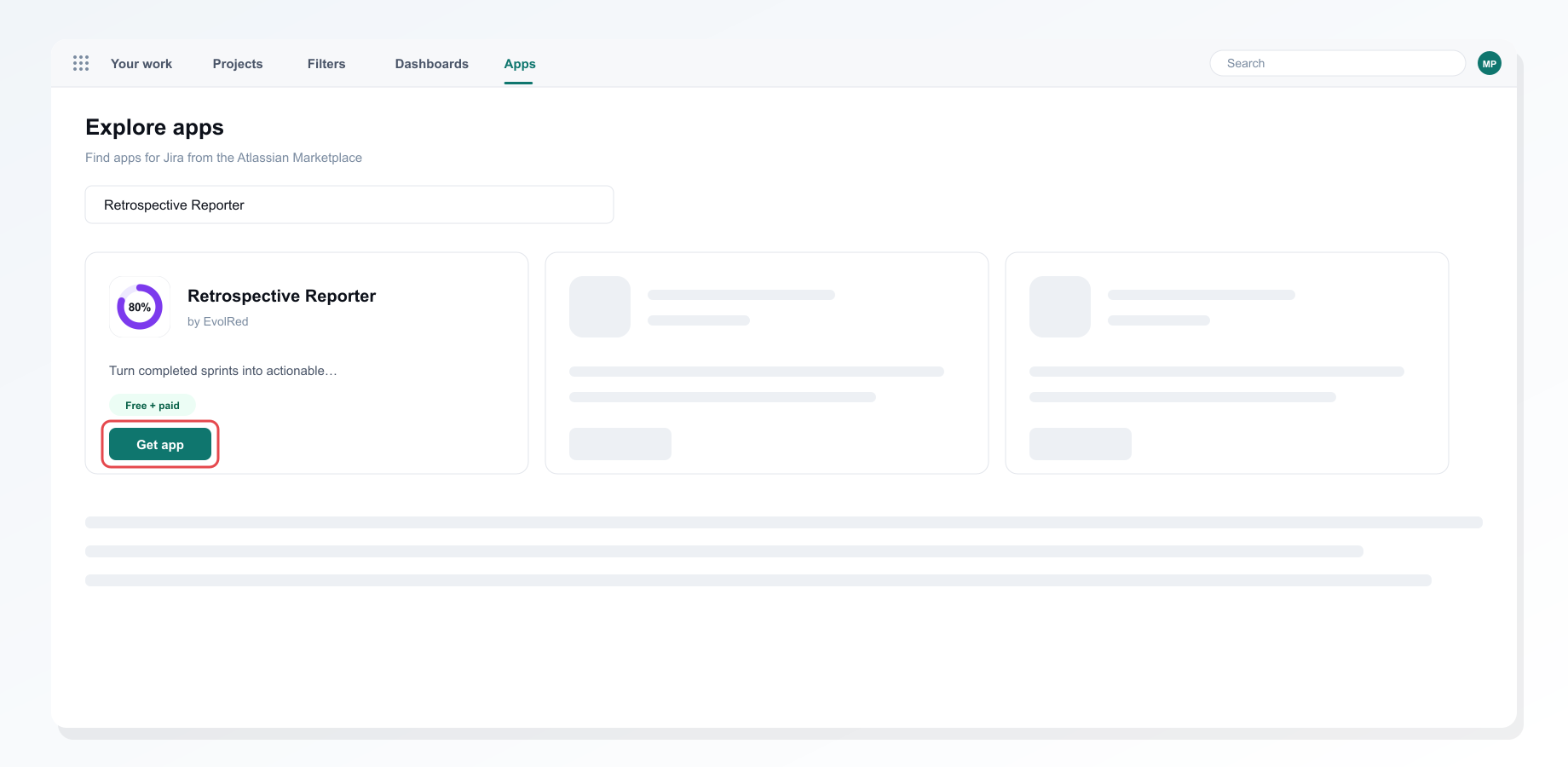 Installing Retrospective Reporter from the Apps screen in Jira
The app asks for read access to boards, sprints and issues, permission to create issues from action items, and permission to create Confluence pages for the export. Action items keep the assignee's account ID and name.
2. Choose the board
Go to Project settings and open Retrospective Reporter Settings. Pick the board the reports should use (any board with sprints). Choose the Confluence space for exports here too.
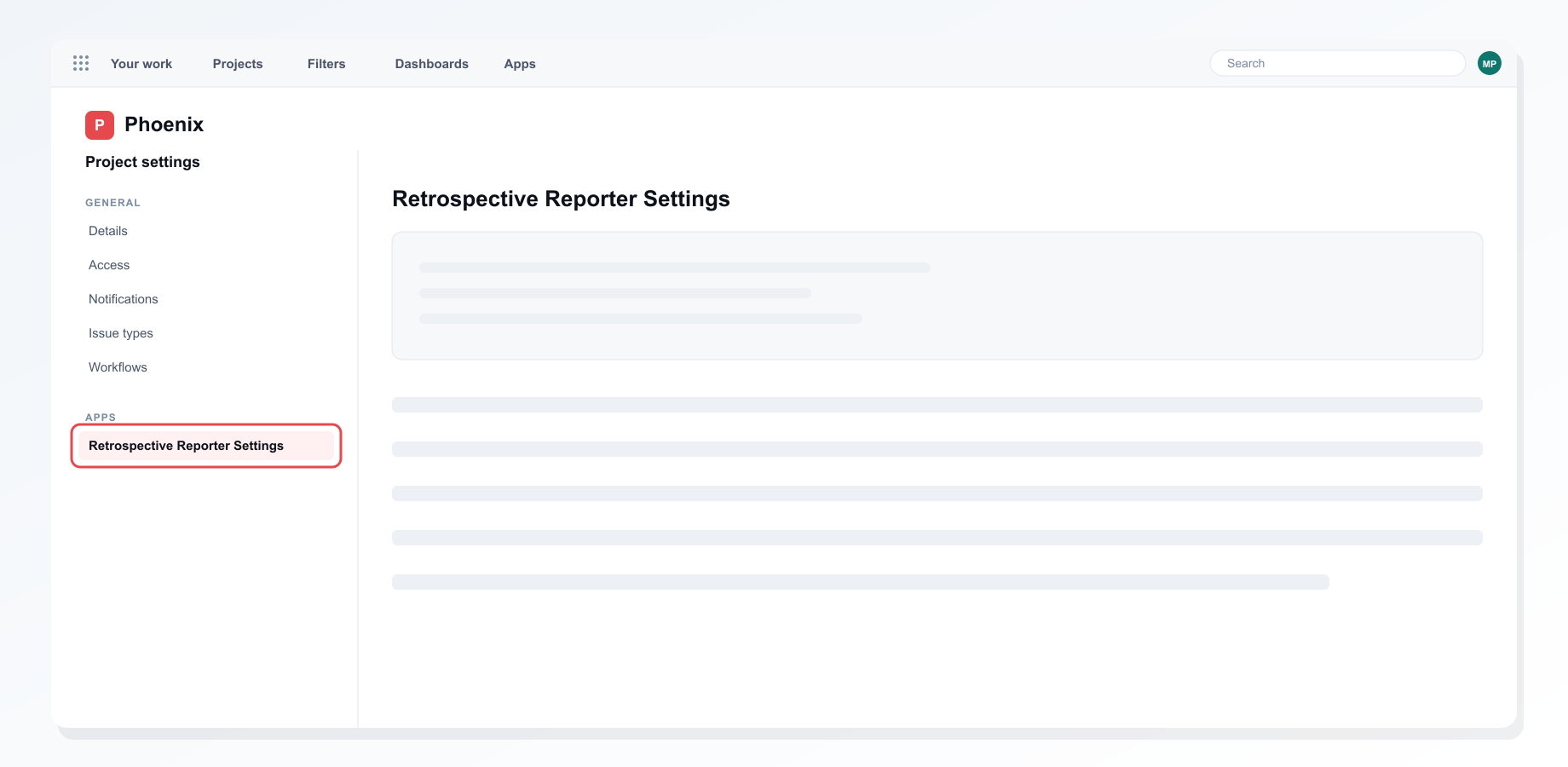 Retrospective Reporter Settings in project settings
3. Open the report
Open the Retrospective Reporter tab in your project. The report for the latest completed sprint is built when you open it: velocity, committed against delivered, cycle time, scope creep, blockers, a burndown and a per-person breakdown.
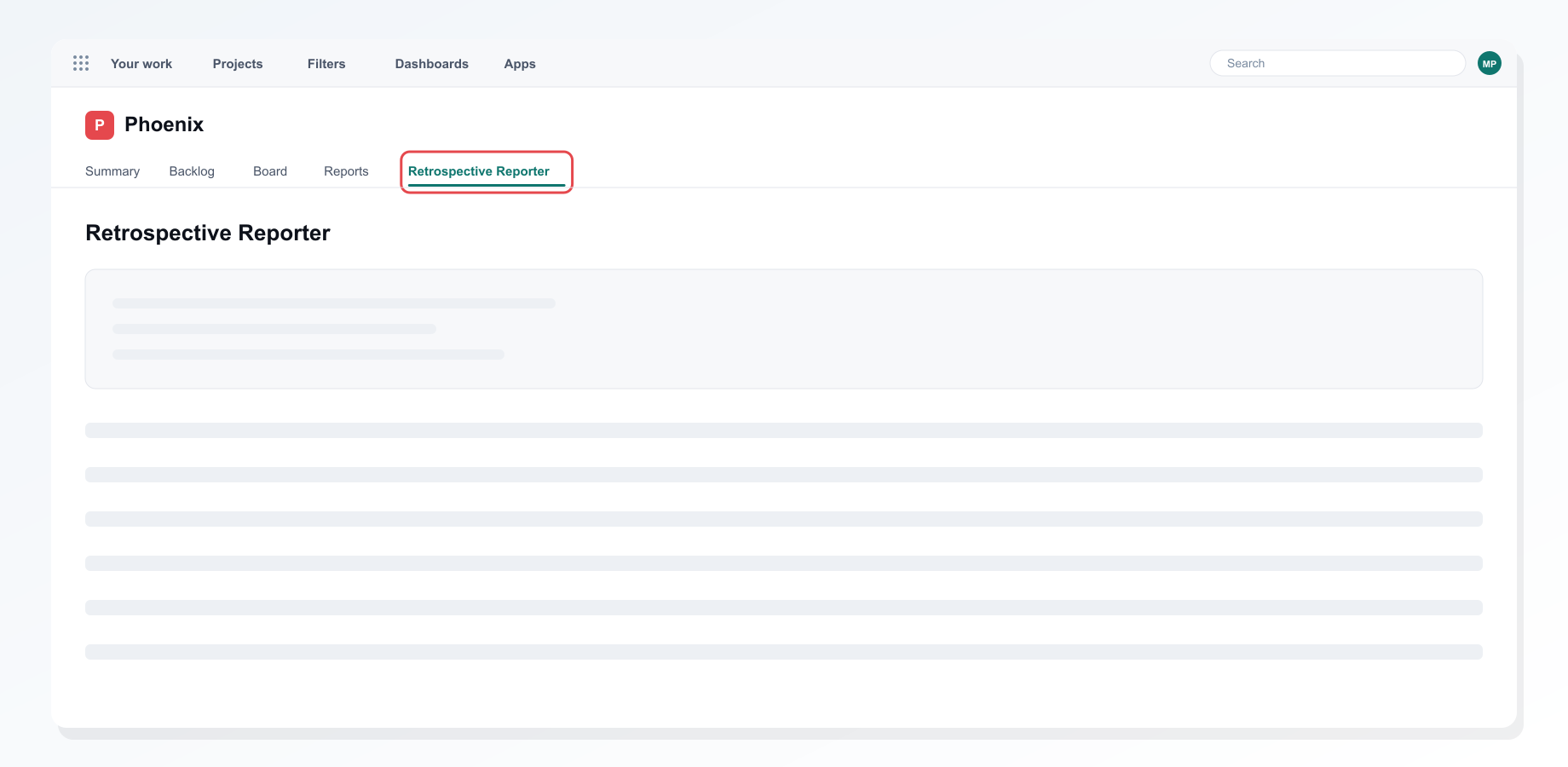 The Retrospective Reporter tab in the project navigation
4. Run the retro on the data
Walk the team through the report instead of collecting numbers by hand. The burndown is rebuilt from the sprint's history, in story points where issues are estimated and in issue count otherwise.
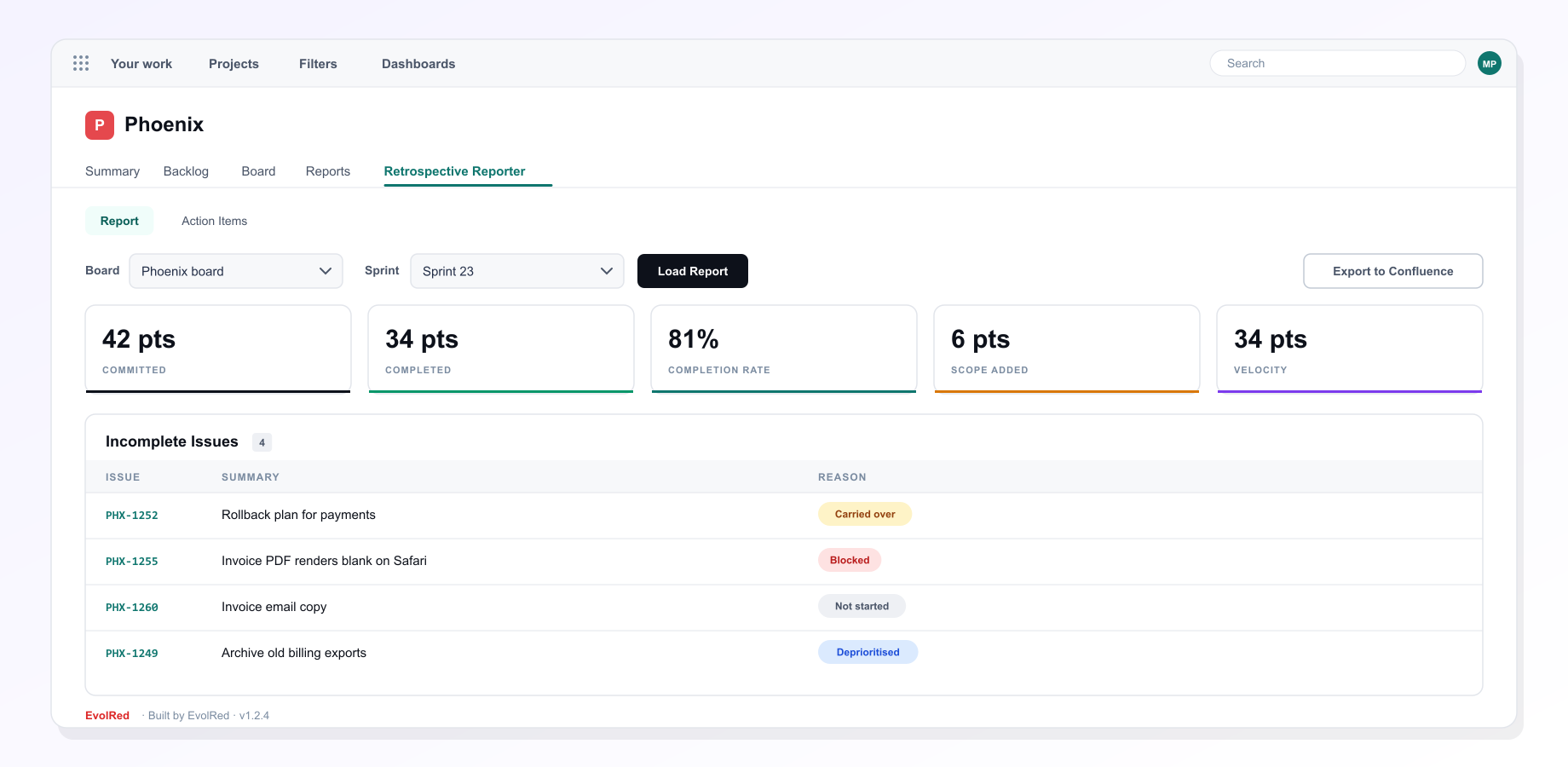 A sprint report in one click
5. Track what you agreed
Add the action items the team agrees on, mark them done over time, and turn any of them into a Jira issue so it lands in the backlog. Use the sprint selector to compare with earlier sprints, and export the report to Confluence when it is ready. When a sprint closes, its report is built in the background, so it is ready when the team opens it.
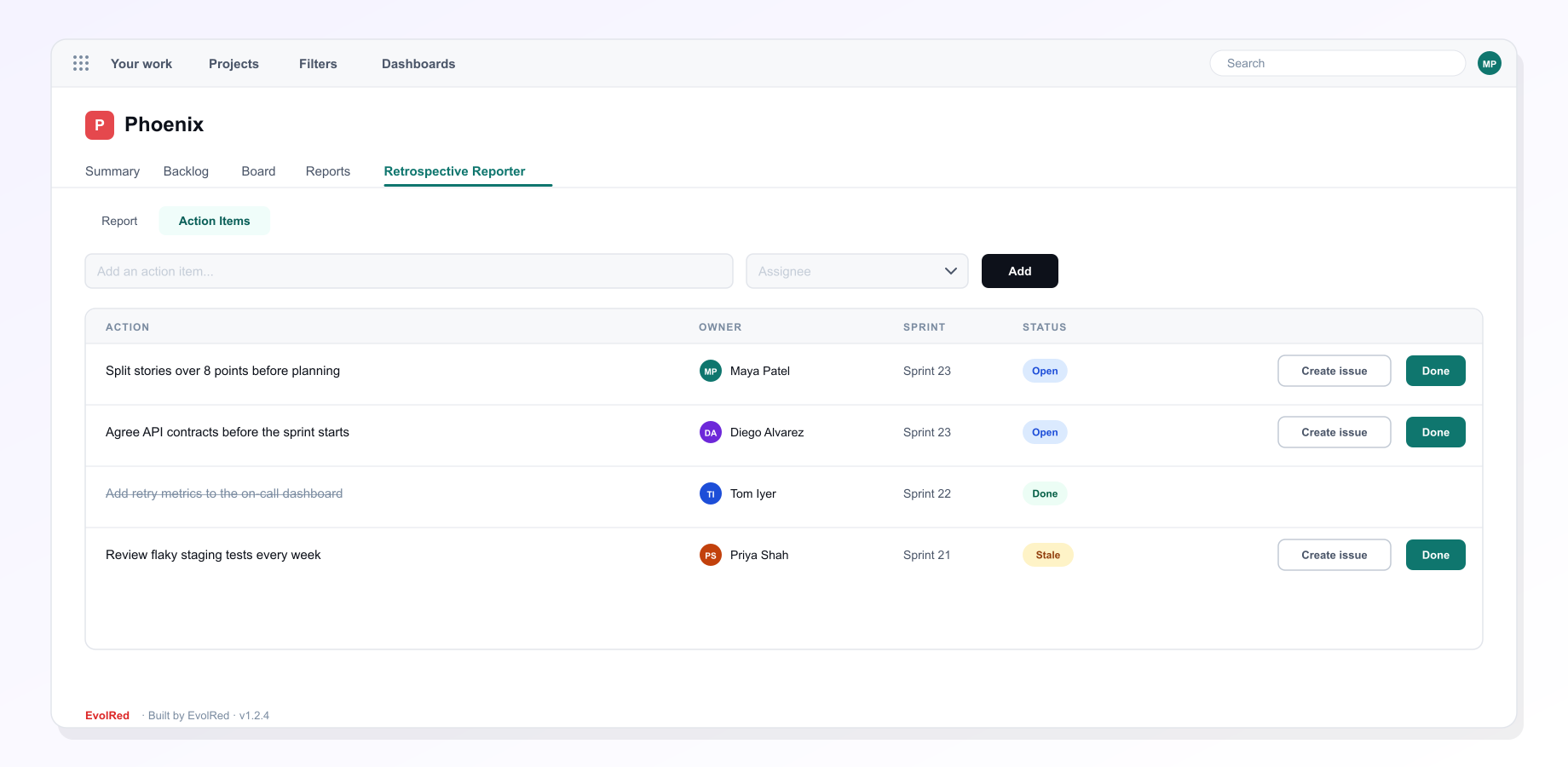 Action items carried across sprints
Troubleshooting
It says no boards were found. Retrospective Reporter needs a board that uses sprints (Scrum, or a team-managed board with sprints). Kanban boards have no sprints to report on.
Export says Confluence is not configured. Choose a space in Retrospective Reporter Settings.
Export says I have no permission. You need permission to create pages in the chosen Confluence space.
It says the app needs an active subscription. The trial has ended or was never started. A Jira admin can start the trial or subscribe from Apps, ⋯, Manage apps in the Jira sidebar, or from Connected apps in Atlassian Administration.
Uninstalling
Remove the app from Connected apps in Atlassian Administration (admin.atlassian.com). The board choice and action items are deleted with the app. Pages you exported to Confluence stay there.
Still stuck?
Tell us what you tried and what you saw. We reply within our published support times.