Before you start
You need:
- A Jira Cloud site, and admin rights on it to install apps. Once installed, it works on every issue with no setup.
Status Time Display is free. Everything is included, with no trial or subscription needed.
1. Install the app
- Open the Status Time Display listing on the Atlassian Marketplace and select Try it free.
- Choose the Jira site to install it on.
- Review the permissions and confirm.
You can also install it from inside Jira: open Settings (the gear icon), go to Apps and search for "Status Time Display".
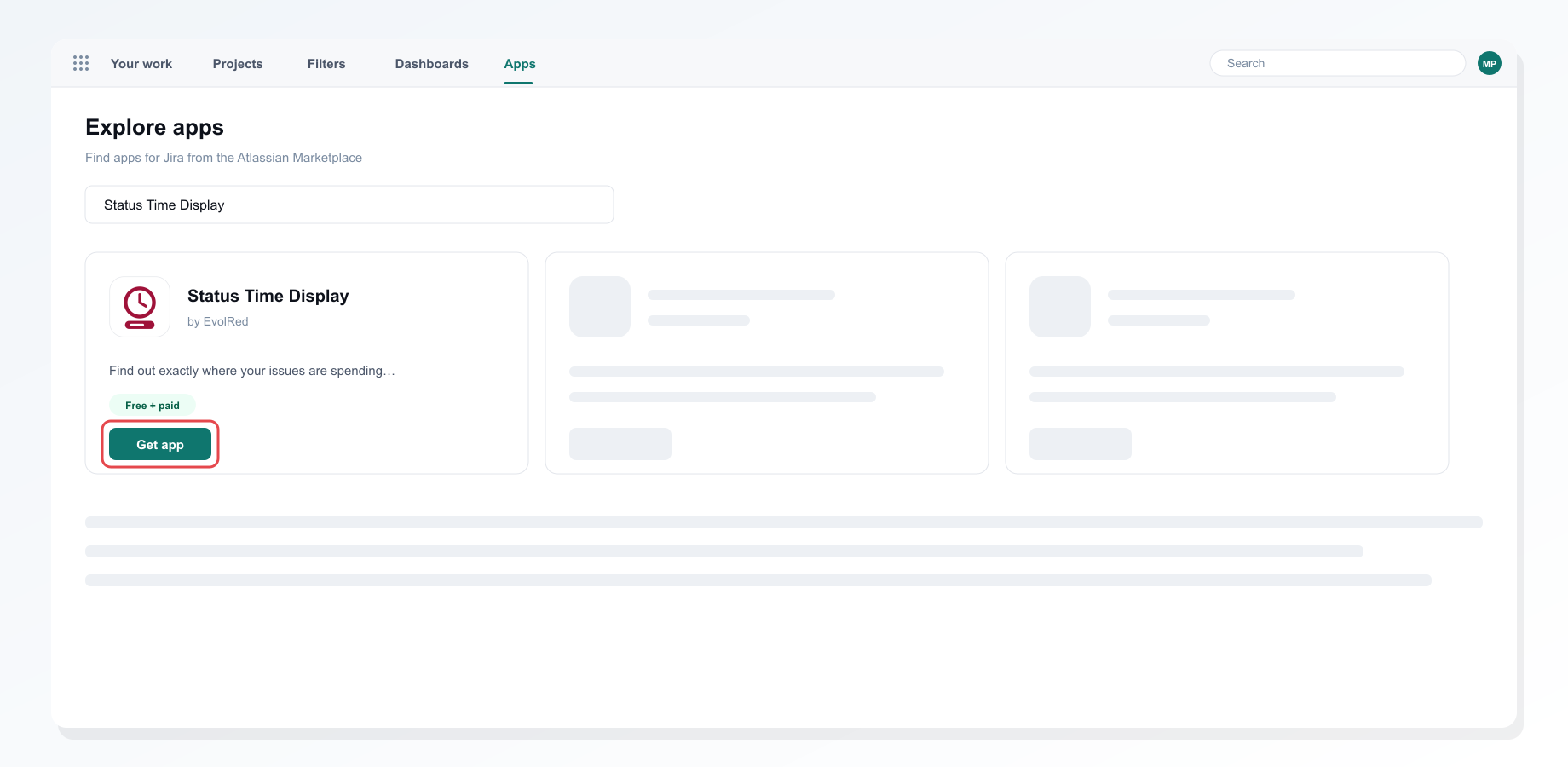 Installing Status Time Display from the Apps screen in Jira
The app asks for read access to issues and their history. It stores nothing: every figure is worked out from the issue's history when you open it.
2. Find Status Time on an issue
Open any issue. In the right-hand sidebar, open Status Time.
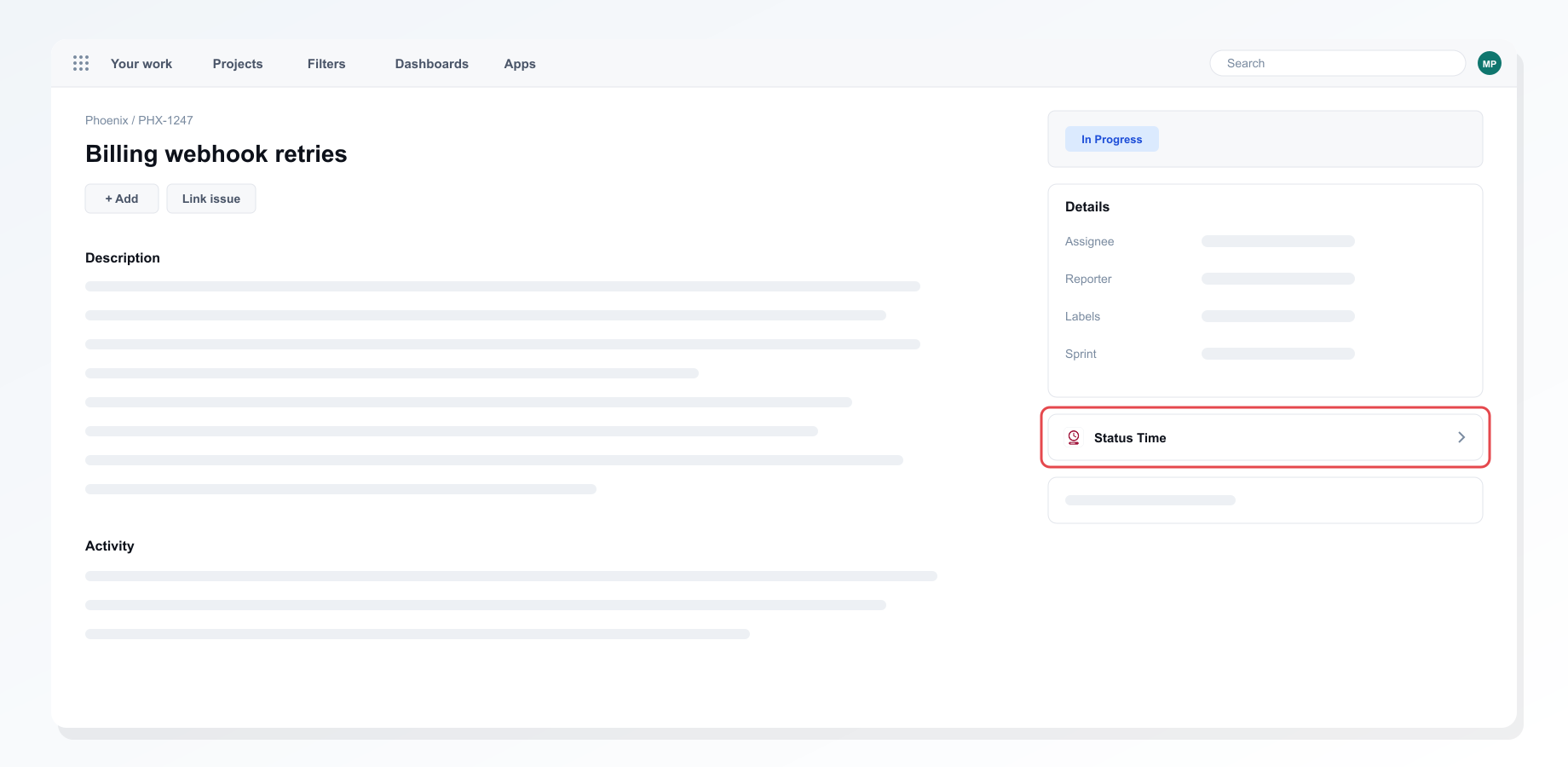 The Status Time section in the issue sidebar
3. See how long it has been there
You see the current status and how long the issue has been in it. The urgency bar changes colour as the time grows, so stalled work stands out.
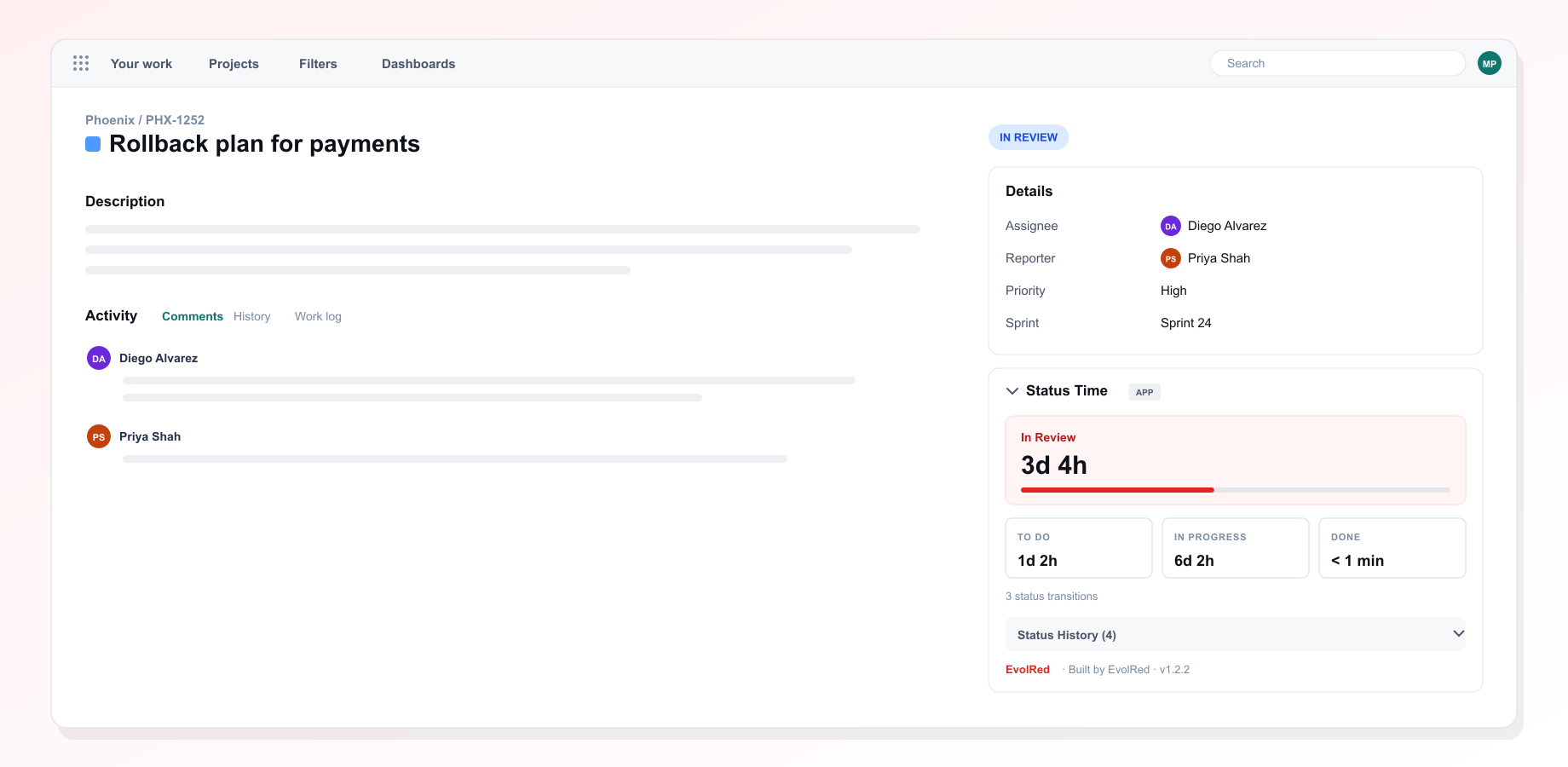 How long the issue has been in this status
4. Follow the full timeline
A metrics row shows the total time in To Do, In Progress and Done and the number of status changes. Expand the history to see every status the issue passed through, with dates and durations.
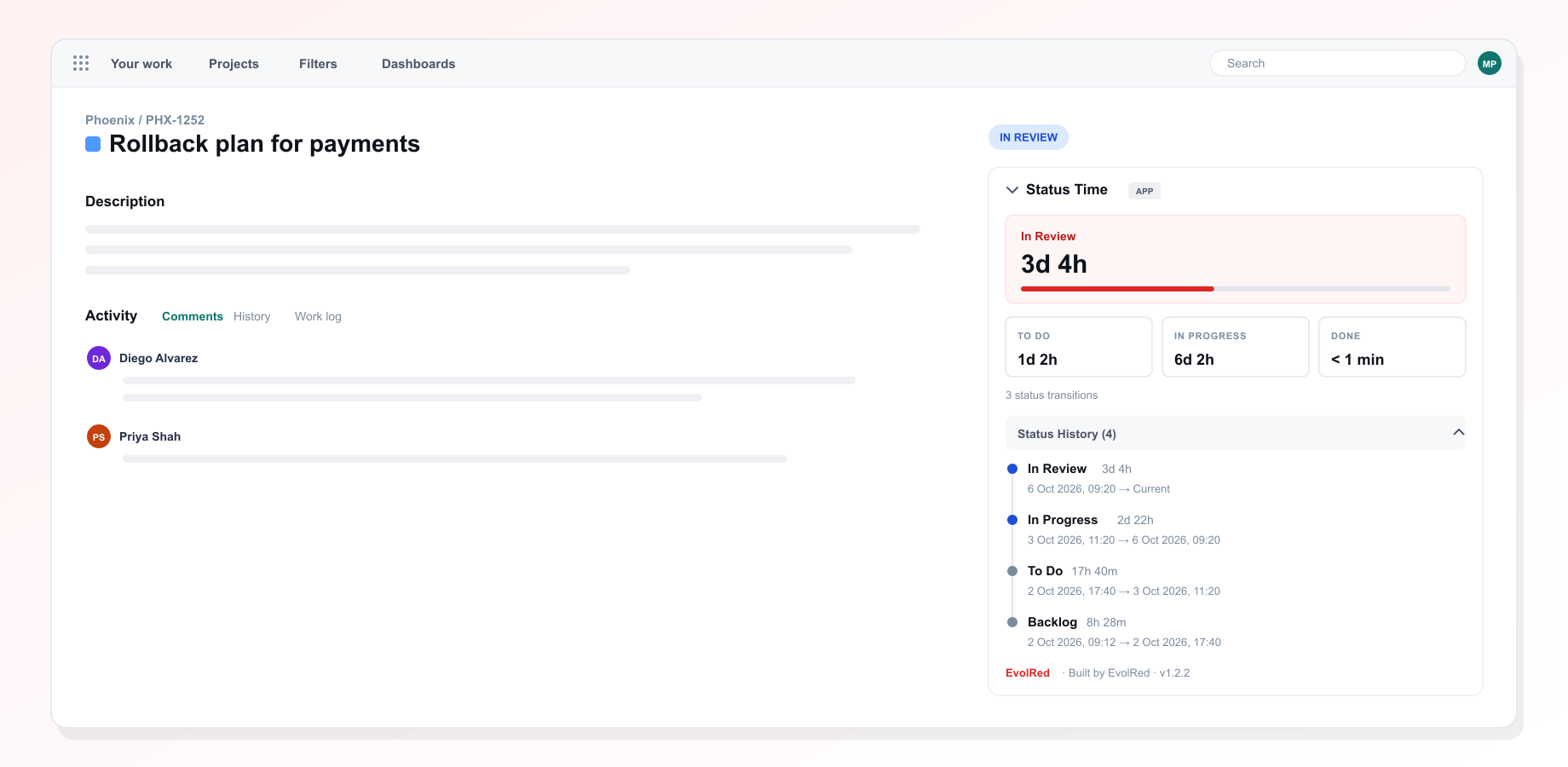 Cycle time and the full status timeline
Troubleshooting
The first status starts at the creation date. If an issue never changed status, its time is counted from when it was created.
Uninstalling
Remove the app from Connected apps in Atlassian Administration (admin.atlassian.com). The app stores nothing, so there is nothing else to clean up.
Still stuck?
Tell us what you tried and what you saw. We reply within our published support times.