
Before you start
You need:
- A Jira Cloud site, and admin rights on it to install apps.
- A project with a board and an active sprint that has a goal. The app uses the project's first board that uses sprints; when there are several, a board picker appears above the banner.
1. Install the app
- Open the Sprint Goal Reminder listing on the Atlassian Marketplace and select Get it now.
- Choose the Jira site to install it on.
- Review the permissions and confirm.
You can also install it from inside Jira: open Settings (the gear icon), go to Apps and search for "Sprint Goal Reminder".
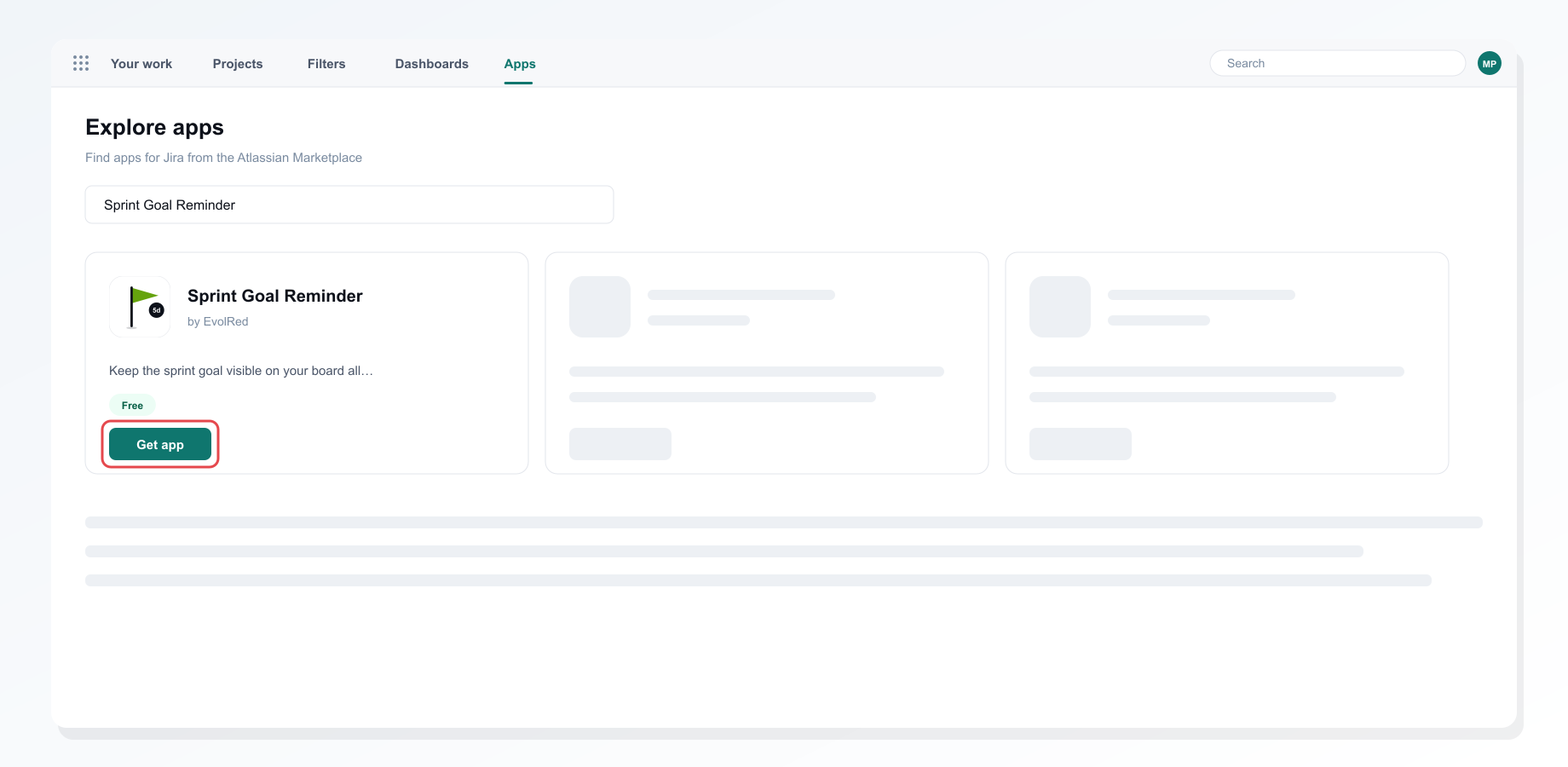 Installing Sprint Goal Reminder from the Apps screen in Jira
The app asks for read access to boards and sprints. It reads the sprint live and stores nothing about it.
2. Open the Sprint Goal page
Go to your project and open the Sprint Goal tab in the project navigation. If your project has a lot of tabs, look under More.
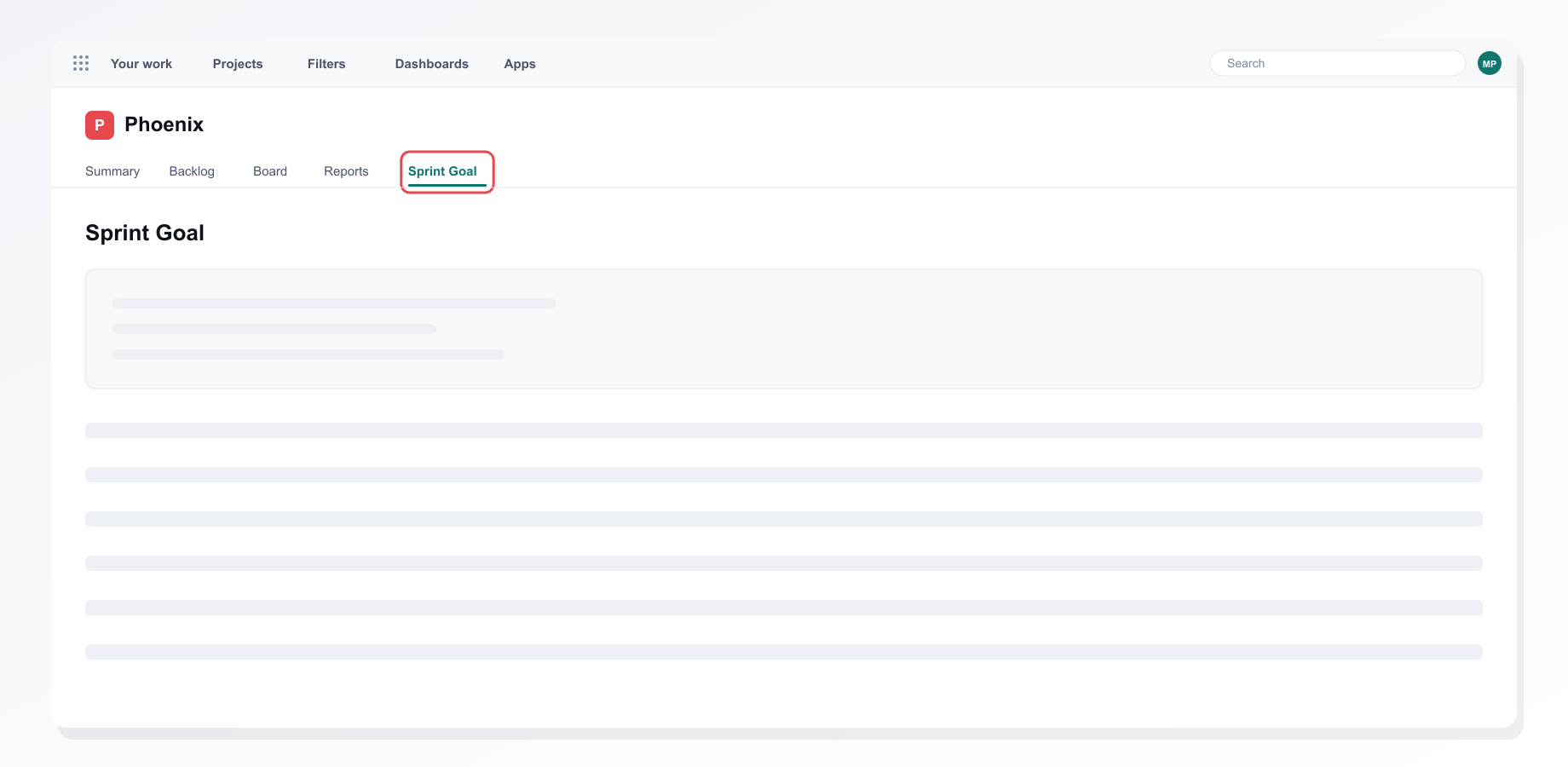 The Sprint Goal tab in the project navigation
3. Read the banner
The banner shows the active sprint's name, its goal and how many days are left. It is green with more than 3 days to go, amber in the last 3 days, and red on the last day or once the sprint is overdue.
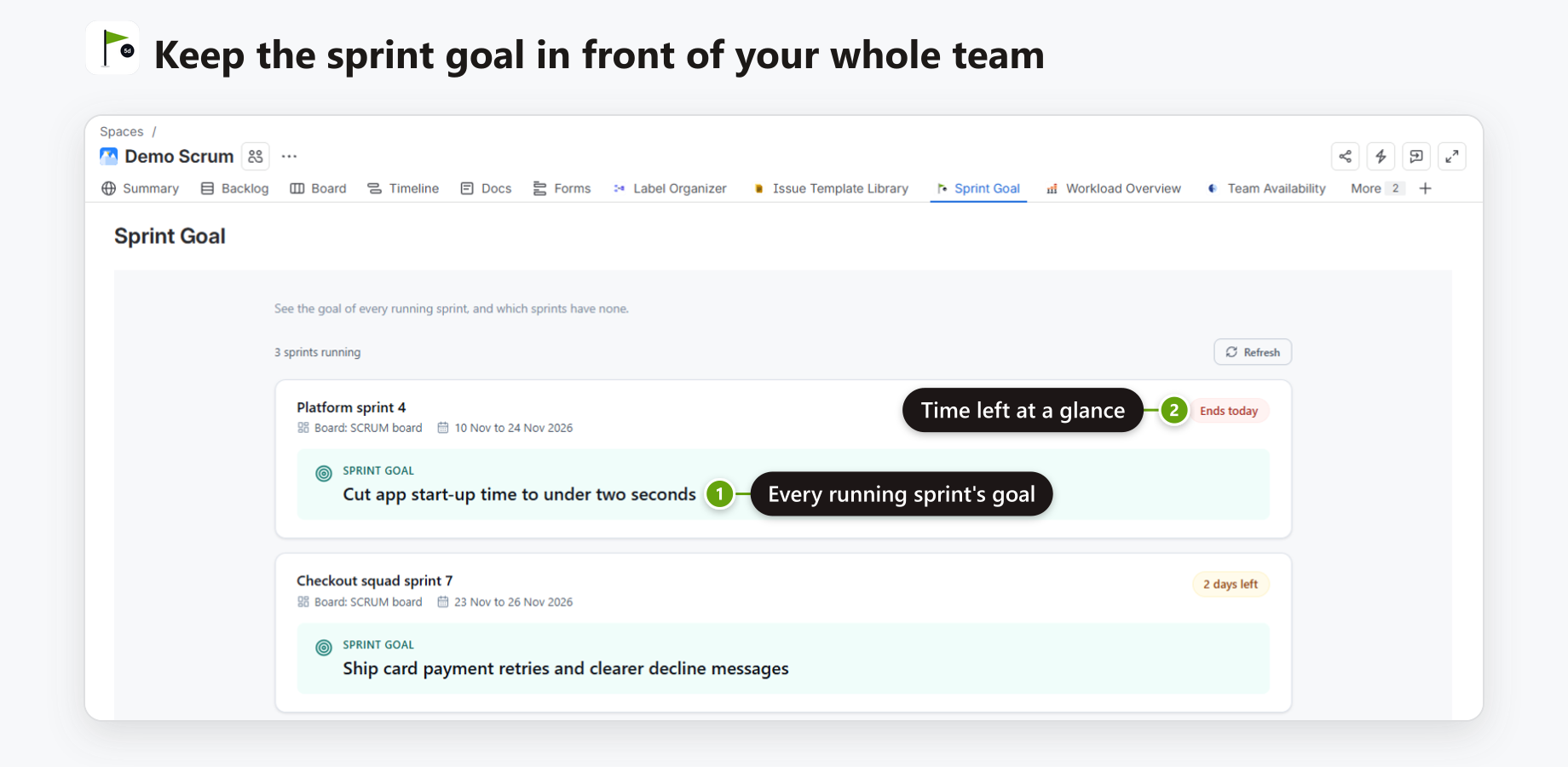 The sprint goal, always in view
4. Collapse it when you need the space
Fold the banner away when you need the room, and open it again whenever you like.
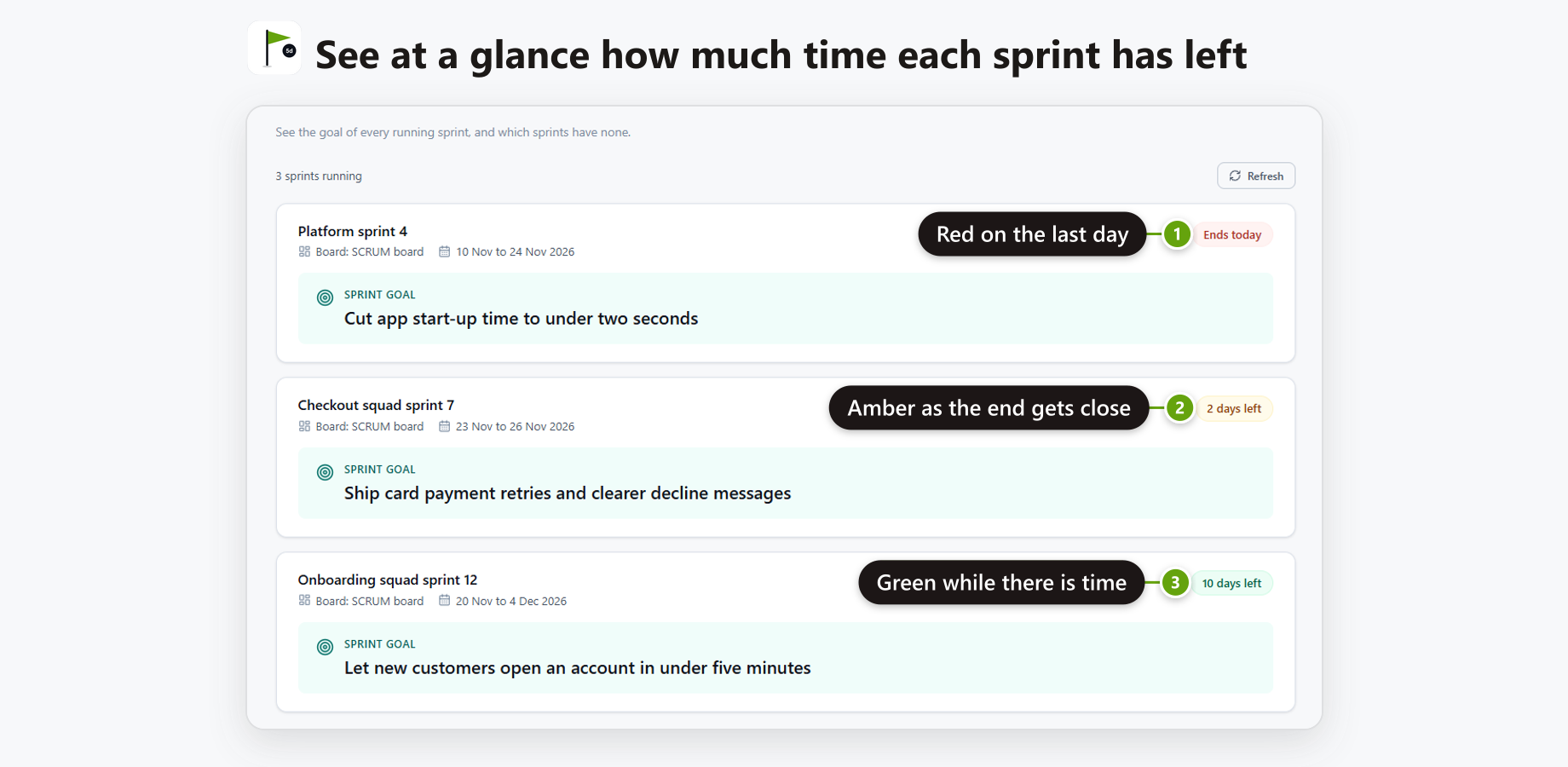 A countdown that changes colour
Troubleshooting
It says no goal is set. Add a goal to the active sprint in Jira (edit the sprint from the backlog or board).
It says there is no active sprint. Start a sprint on a board of the project, or pick the right board in the board picker.
Uninstalling
Remove the app from Connected apps in Atlassian Administration (admin.atlassian.com). The app stores nothing about your sprints, so there is nothing else to clean up.
Still stuck?
Tell us what you tried and what you saw. We reply within our published support times.