
Sprint Goal Reminder for Jira
Keep the sprint goal visible on your board all sprint long
Get it on the MarketplaceVersion 1.7.1·Updated Nov 22, 2026
Overview
What it does
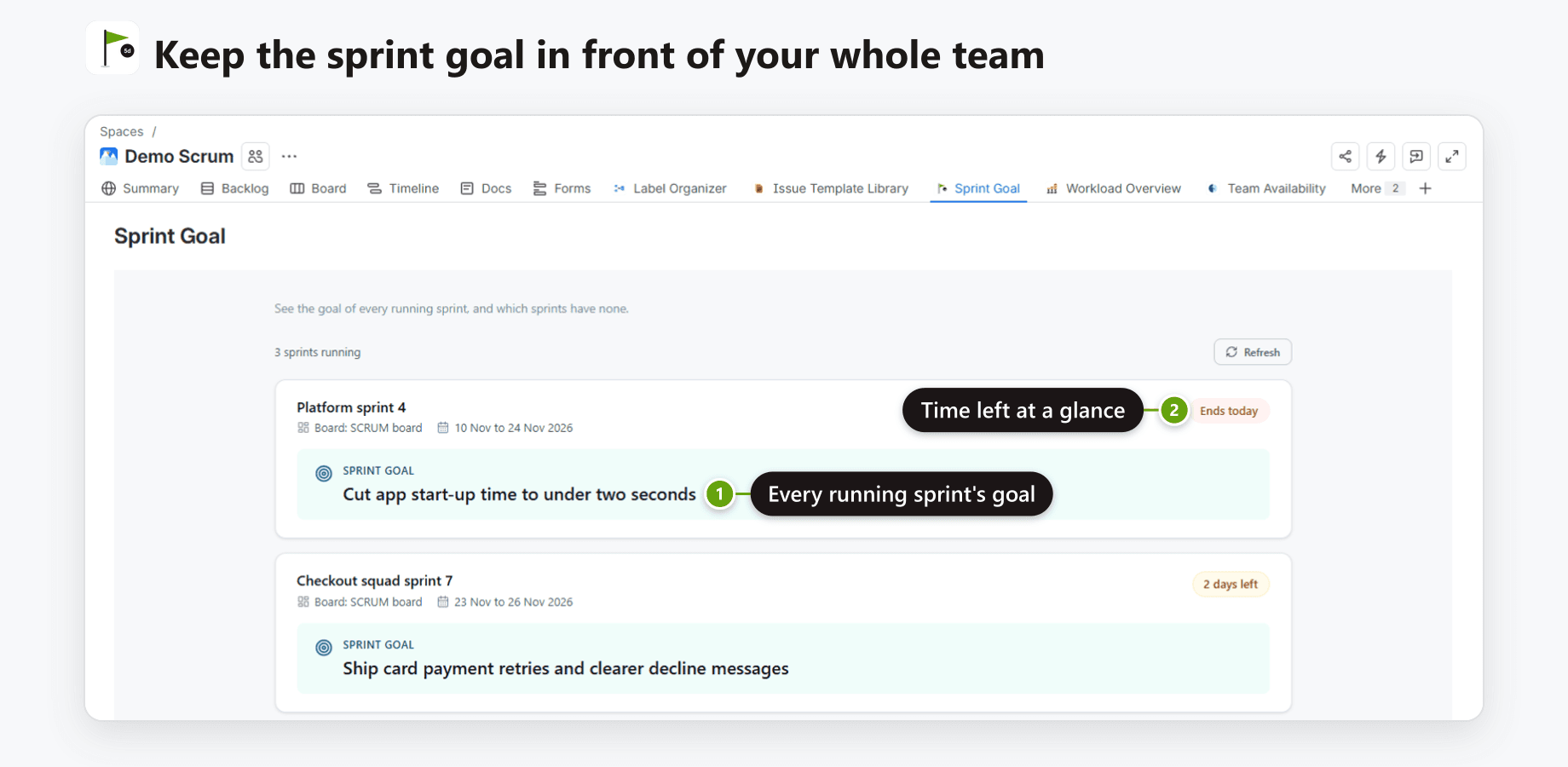
Sprint goals get written in sprint planning and forgotten by Wednesday. Sprint Goal Reminder adds a Sprint Goal page to your project that shows the active sprint's goal as a banner, with a countdown to the end of the sprint that turns amber as the deadline nears and red on the last day. It keeps the team anchored to what the sprint is for, without another meeting. The banner can be collapsed when you need the space, and it says so when no goal is set or there is no active sprint. Projects with several boards that use sprints get a board picker. It is free.
Inside the app
- A Sprint Goal page in your project with the active sprint's goal
- Countdown to the sprint end, turning amber as the deadline nears and red on the last day
- Collapse the banner when you need the space
- Tells you when no goal is set or there is no active sprint
- Reads the active sprint goal for you, so there is nothing to type in
- Free, with nothing to configure
In action
See it on screen
Get started
Up and running in a few minutes
Step 1
Install from the Marketplace
Select Get it now on the Atlassian Marketplace listing, pick your Jira site and confirm. There is nothing to configure.
Step 2
Open Sprint Goal
Open the Sprint Goal tab in your project.
Step 3
Keep it in view
See the active sprint's goal and a countdown that turns amber, then red, as the end nears.
Like Sprint Goal Reminder for Jira, but need it to fit your company?
We can build a private version just for you, changed to match how your teams work and installed only on your Atlassian site.
Ask about a custom build- Your fields, workflows and rules
- Your wording, defaults and reports
- A private build, only on your site
- Supported by the people who built the app
Updates
What's new
- v1.7.1Latest
The page now starts with a short line explaining what it shows.
- v1.7.0
When a project has no sprint to show, the page now says why and what to do: a Kanban board, no board yet, sprints switched off, or a project type that does not use sprints.
- v1.6.4
The Sprint Goal page lists every running sprint in the project, one card each, with its board, dates, goal and days left. The goal is shown in large type, a sprint without a goal says how to add one, and there is a Refresh button and Try again when the page cannot load. The board picker starts on All boards, and days left use your own time zone. A project whose boards could not be read now shows an error instead of saying there is no board.
Show all 7 updates
- v1.6.1
Projects with several Scrum boards get a board picker that remembers your choice, and the sprint goal shows on team-managed boards. The page loads faster and the app no longer asks for storage or personal data permissions. A Report a problem link in the footer opens the support portal.
- v1.3.0
The Sprint Goal page now finds the project's board by itself, so the goal shows reliably. The Sprint Goal Settings page is gone: its on/off switch was saved but never used. Data about closed Atlassian accounts is now removed automatically. Every week the app checks the account IDs it stores with Atlassian and erases them for closed accounts.
- v1.2.0
The app now links to the right companion app: the suggestion card pointed at LicenseGuard and now points to Pre-flight Checklist. The footer shows the correct version too.
- v1.0.0
Initial release with sprint goal board banner, days-remaining countdown, urgency colour coding, collapsible toggle with session persistence, and per-board settings page
Need a custom plugin for your team?
We build private Atlassian plugins tailored to your workflows.