
Simple Recurring for Jira
Set it once and never manually create the same issue again
Not on the Atlassian Marketplace yet. Leave your email and we'll send one message when it is.
Version 2.3.4·Updated Nov 22, 2026
Overview
What it does
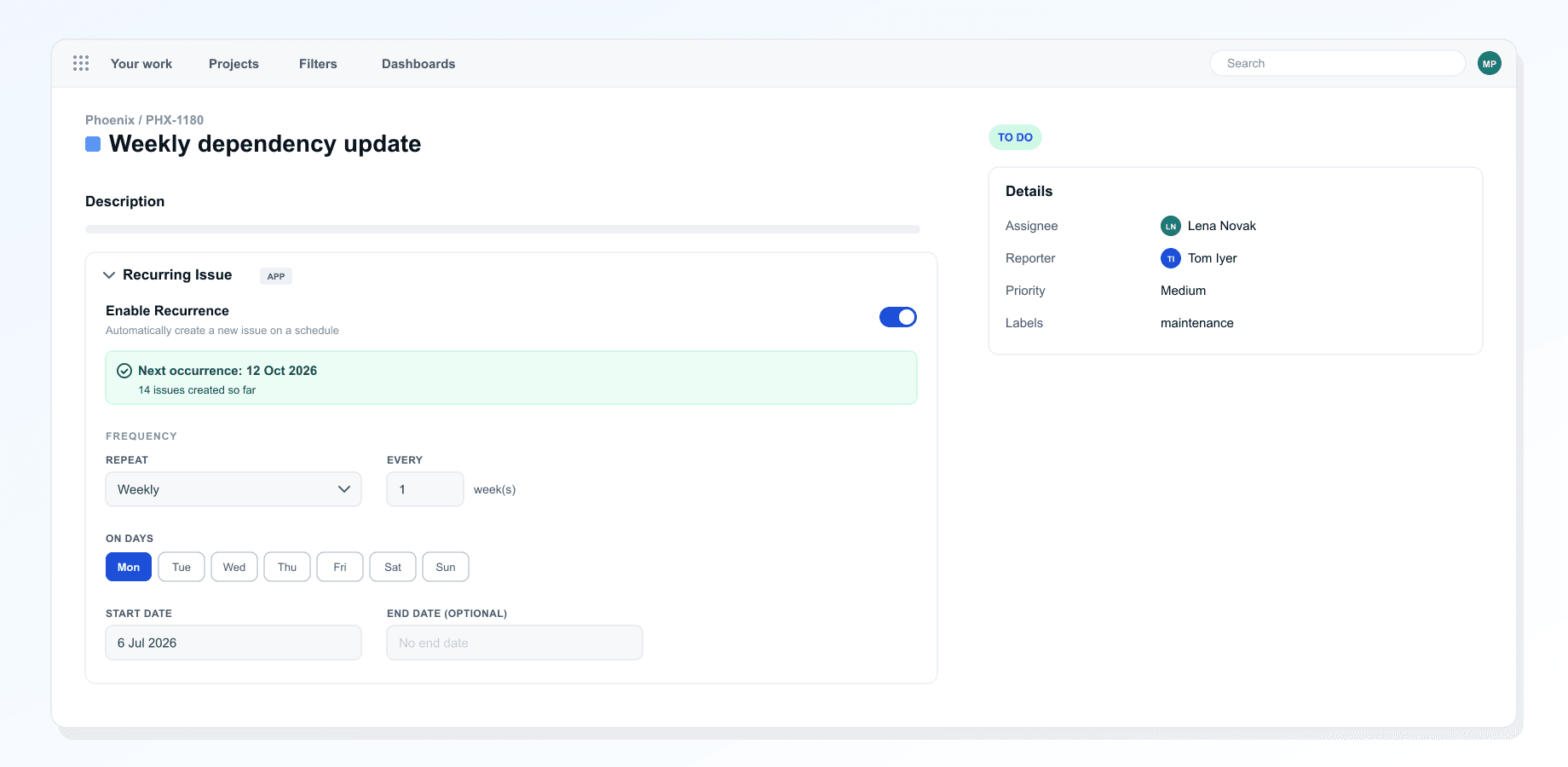
Every team has recurring work: a weekly report, a monthly compliance check, a quarterly review. Creating those issues by hand every cycle wastes time and is easy to forget. Simple Recurring lets you set a schedule on any Jira issue: daily, weekly, monthly, quarterly or yearly, at an interval you choose, with a start date and an optional end date. A background check runs every hour and creates the next copy when it is due, in the same project and issue type. Choose what carries over (assignee, labels, components, priority), and each new copy is noted on the original issue. Or make the next copy appear each time the issue is marked Done. It is free, with no limit on recurring issues.
Inside the app
- Recurrence on any issue: daily, weekly, monthly, quarterly or yearly, at any interval
- Day-of-week and day-of-month options for precise scheduling
- Start date and optional end date, so a recurrence stops on its own
- Choose what carries over: assignee, labels, components and priority
- A comment on the original issue links to every new copy
- Or a fresh copy each time the issue is marked Done. Free, with no limits
In action
See it on screen
Get started
Up and running in a few minutes
Step 1
Install the app
Select Get it now on the Atlassian Marketplace listing, pick your Jira site and confirm. It is free.
Step 2
Open Recurring Issue
On the issue you want to repeat, select the Recurring Issue button.
Step 3
Set the schedule
Choose a schedule or "when marked Done", the start date, an optional end date and what carries over.
Step 4
Let it run
An hourly check creates scheduled copies when they are due. Copies set to "when marked Done" appear as soon as the issue is completed.
Like Simple Recurring for Jira, but need it to fit your company?
We can build a private version just for you, changed to match how your teams work and installed only on your Atlassian site.
Ask about a custom build- Your fields, workflows and rules
- Your wording, defaults and reports
- A private build, only on your site
- Supported by the people who built the app
Updates
What's new
- v2.3.4Latest
New app logo.
- v2.3.3
The loading message now ends with a proper ellipsis, matching our other apps.
- v2.3.2
The issue panel no longer shows "Recurring Issue" twice; the title appears once. The settings button now just says Save, like the other apps.
Show all 8 updates
- v2.3.0
Preserve priority now copies the priority itself, so it works on projects whose priority names differ. If the project does not offer the original's priority, the copy is still created with the default priority and the note says so.
- v2.1.6
Recurring issues are now actually created on schedule, and you can create the next copy when an issue is marked Done. A recurrence can no longer be saved with an invalid schedule or create the same copy twice. A Report a problem link in the footer opens the support portal. Now a paid app with a free trial on the Atlassian Marketplace.
- v1.2.2
Paying customers no longer see the link to other EvolRed apps in the panel footer. On the free plan it stays as a single line.
- v1.2.0
Simple Recurring is now freemium. Free: up to 2 active recurring issues on daily or weekly schedules. Paid: unlimited recurrences plus monthly, quarterly and yearly schedules.
- v1.0.0
Initial release with recurring issue panel, daily/weekly/monthly/quarterly/yearly schedule support, on-done trigger mode, clone options, start and end dates, and hourly background trigger
Need a custom plugin for your team?
We build private Atlassian plugins tailored to your workflows.