
Issue Link Counter for Jira
See your issue's connection count at a glance
Get it on the MarketplaceVersion 1.4.2·Updated Nov 21, 2026
Overview
What it does
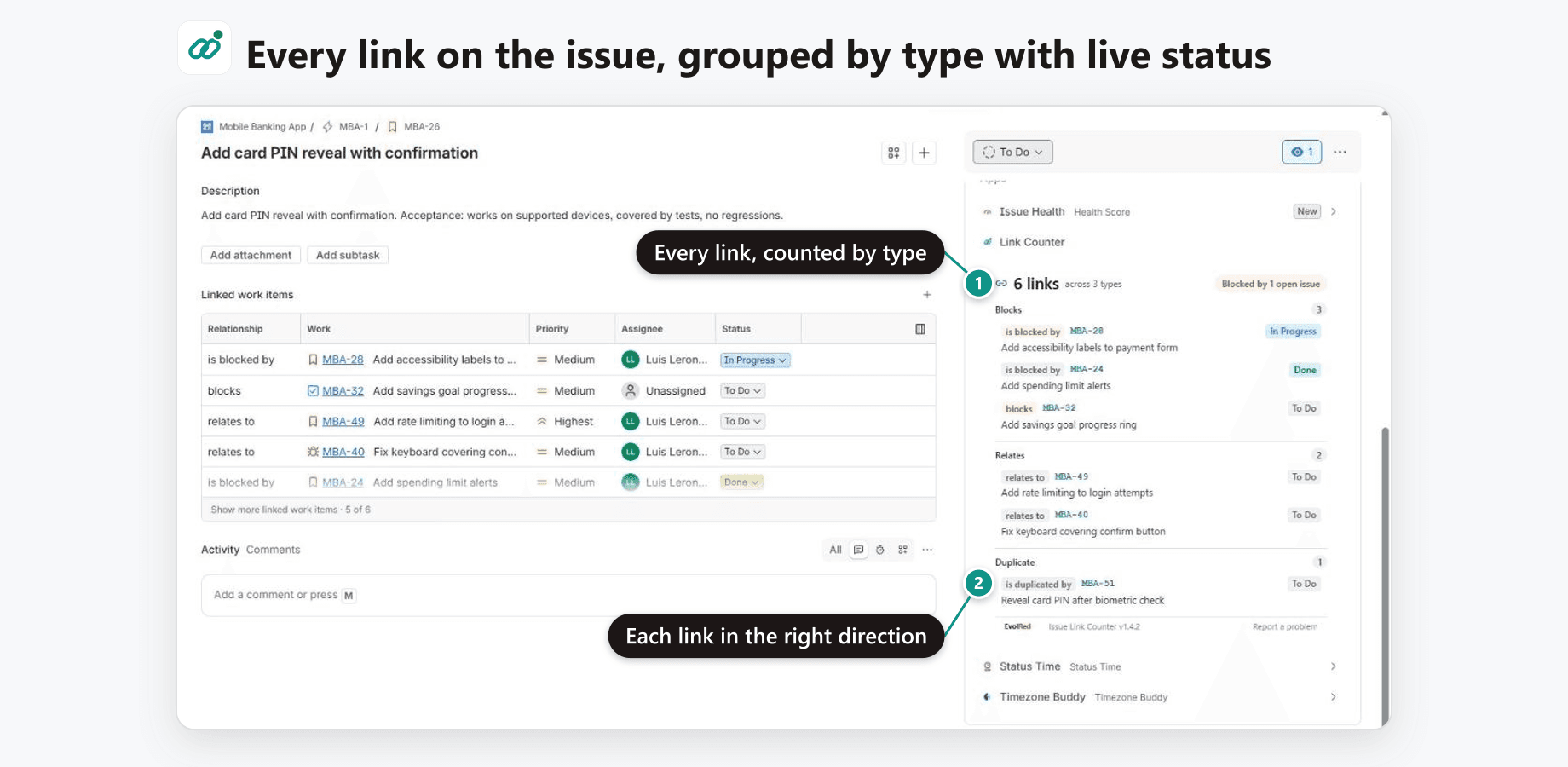
Highly connected issues are often the most complex and the most risky to change. Issue Link Counter adds a Links section to every issue showing the total number of linked issues, with a breakdown by link type when you open it. It is a small addition that gives reviewers, tech leads, and QA engineers an instant signal about issue complexity without having to scroll through the full description. Each linked issue shows its key, summary, link direction and status, so you can spot blockers without opening them.
Inside the app
- Link count shown in the issue sidebar without opening anything
- Full breakdown by link type when you open the Links section
- Each linked issue listed with its key, summary, link direction and status
- Sorted link groups for a consistent, readable breakdown every time
- Works on every issue as soon as the app is installed, with nothing to configure
- Lightweight read-only app with no write permissions that stores no data
In action
See it on screen
Get started
Up and running in a few minutes
Step 1
Install from the Marketplace
Select Get it now on the Atlassian Marketplace listing, pick your Jira site and confirm. There is nothing to configure.
Step 2
Check the Links row
The issue sidebar shows how many links each issue has.
Step 3
Open it
See the links grouped by type, with direction and status.
Like Issue Link Counter for Jira, but need it to fit your company?
We can build a private version just for you, changed to match how your teams work and installed only on your Atlassian site.
Ask about a custom build- Your fields, workflows and rules
- Your wording, defaults and reports
- A private build, only on your site
- Supported by the people who built the app
Updates
What's new
- v1.4.2Latest
The footer in the Links section is now one compact line: the EvolRed logo, the app name and version, and a Report a problem link.
- v1.4.1
Loading, empty and error messages are now worded more clearly and consistently. Nothing else works differently.
- v1.4.0
Links now have their own section in the issue sidebar. Each link takes two lines so long summaries no longer hide the status, and status shows as a coloured label. Open blockers stand out in red, and issue keys open in a new tab.
Show all 7 updates
- v1.3.4
When an issue has no links, the panel now explains that the links you add will show there. The footer has Report a problem, My issues and Known issues links that open the EvolRed support portal with the app, its version and your Jira site filled in, and if something fails to load a Report a problem button takes you straight to the bug form.
- v1.3.2
The app no longer stores any data: links are read live each time you open the panel. The app icon appears next to the Links row in the issue sidebar.
- v1.2.1
The Links row in the issue sidebar now shows the link count without opening the panel. Long link directions such as "is blocked by" are no longer cut short, and if Jira cannot return an issue's links you see an error instead of "no links".
- v1.0.0
Initial release with issue link counter glance, total count badge, link type breakdown, and 24-hour link type definition cache
Need a custom plugin for your team?
We build private Atlassian plugins tailored to your workflows.