Before you start
You need:
- A Jira Cloud site, and admin rights on it to install apps.
- Epics with child issues. The section only appears on epics.
1. Install the app
- Open the Epic Progress Bar listing on the Atlassian Marketplace and select Get it now.
- Choose the Jira site to install it on.
- Review the permissions and confirm.
You can also install it from inside Jira: open Settings (the gear icon), go to Apps and search for "Epic Progress Bar".
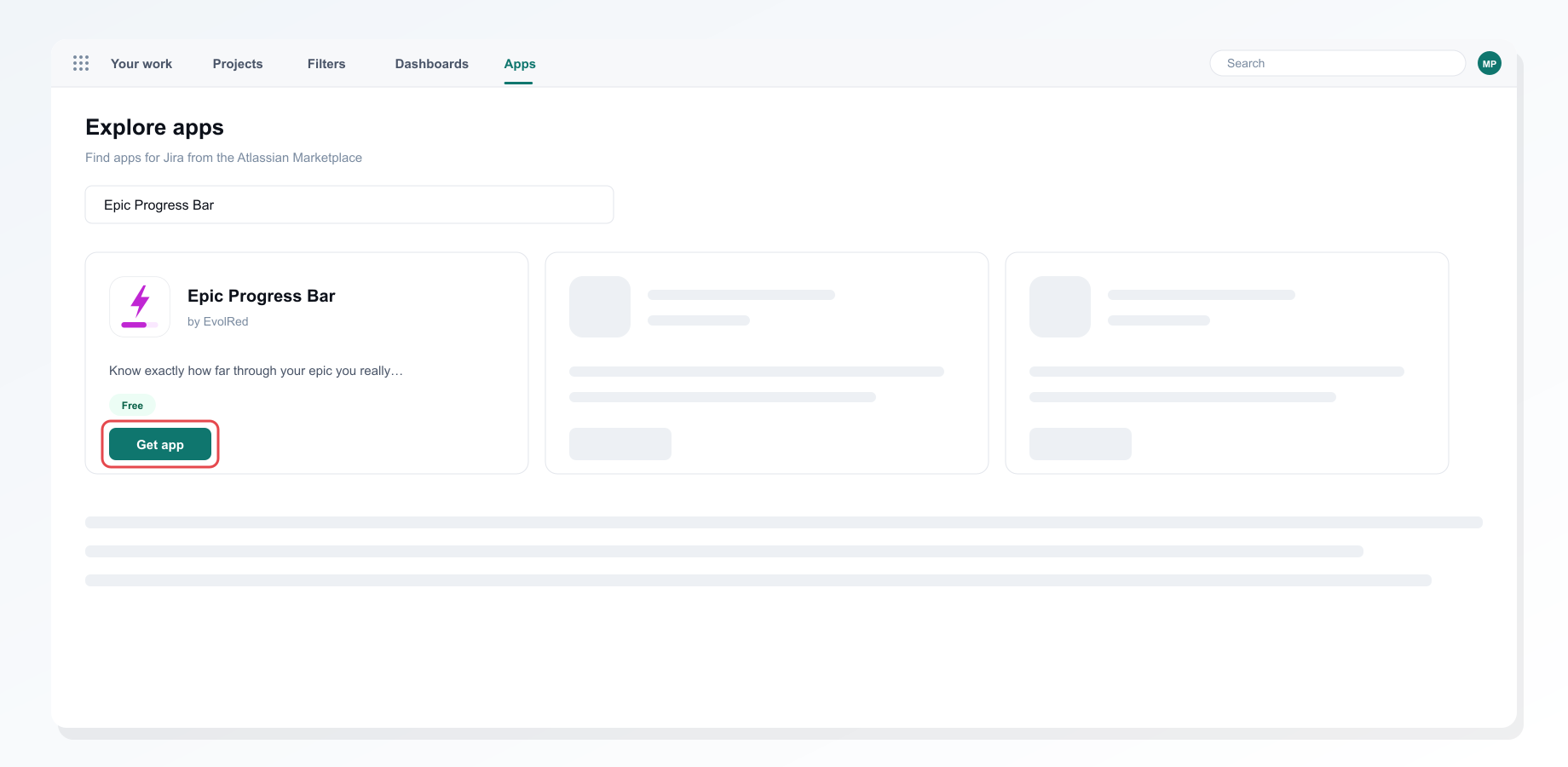 Installing Epic Progress Bar from the Apps screen in Jira
The app asks for read access to issues and fields. It stores nothing: every figure is read live when you open an epic.
2. Open an epic
Open any epic. In the right-hand sidebar, open the Epic Progress section. It does not appear on other issue types.
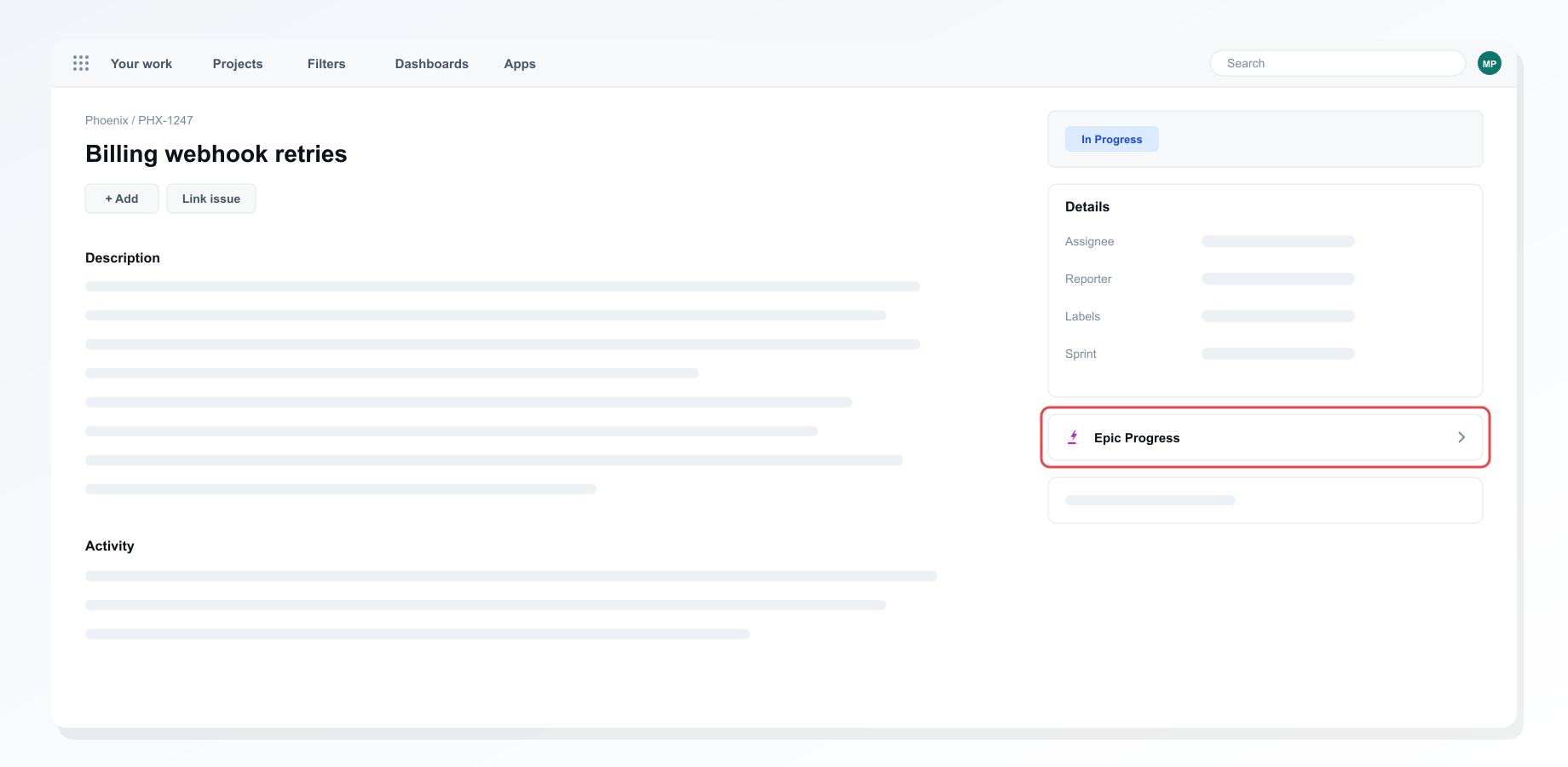 The Epic Progress section in the sidebar of an epic
3. Read the progress bar
The bar splits the child issues into To Do, In Progress and Done, with the percentage complete and a count for each.
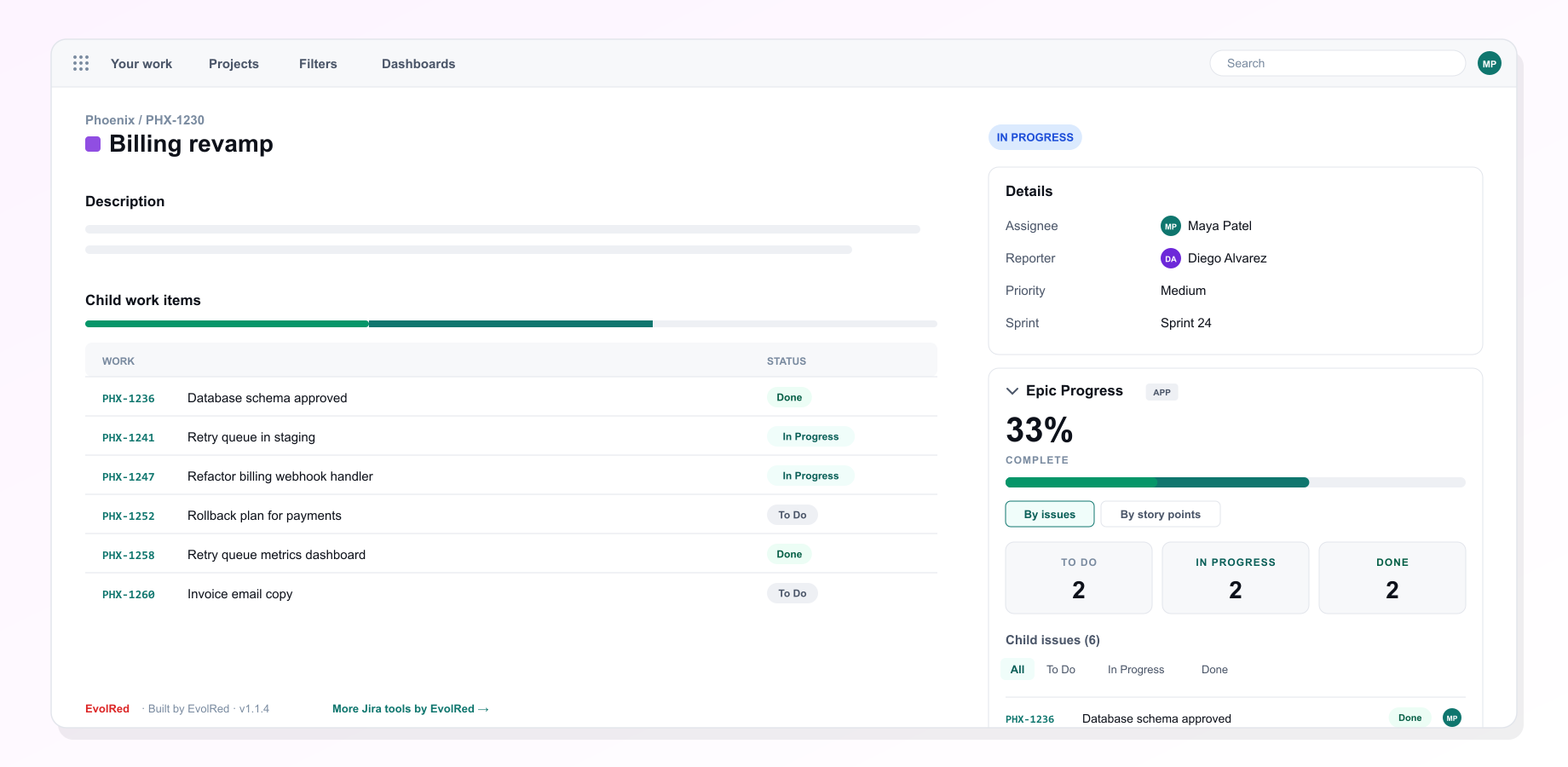 An epic's progress by issue count
4. Switch to story points
Choose By story points to weigh the progress by estimate instead of issue count. The app finds your story point field by itself, on company-managed and team-managed projects alike.
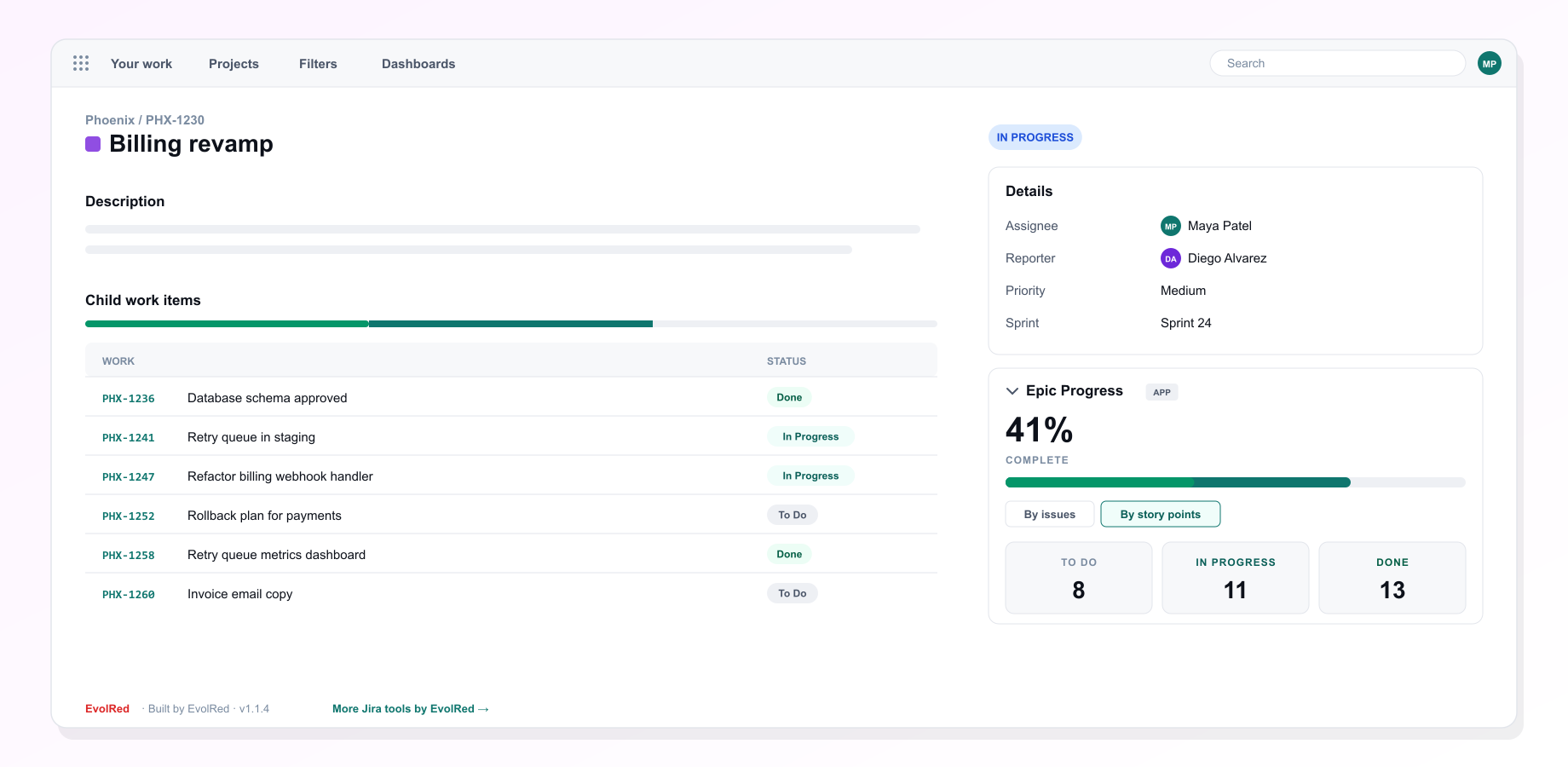 The same epic measured by story points
5. Check the child issues
Below the bar, every child issue is listed with its status and assignee. Filter by status to see what is still open.
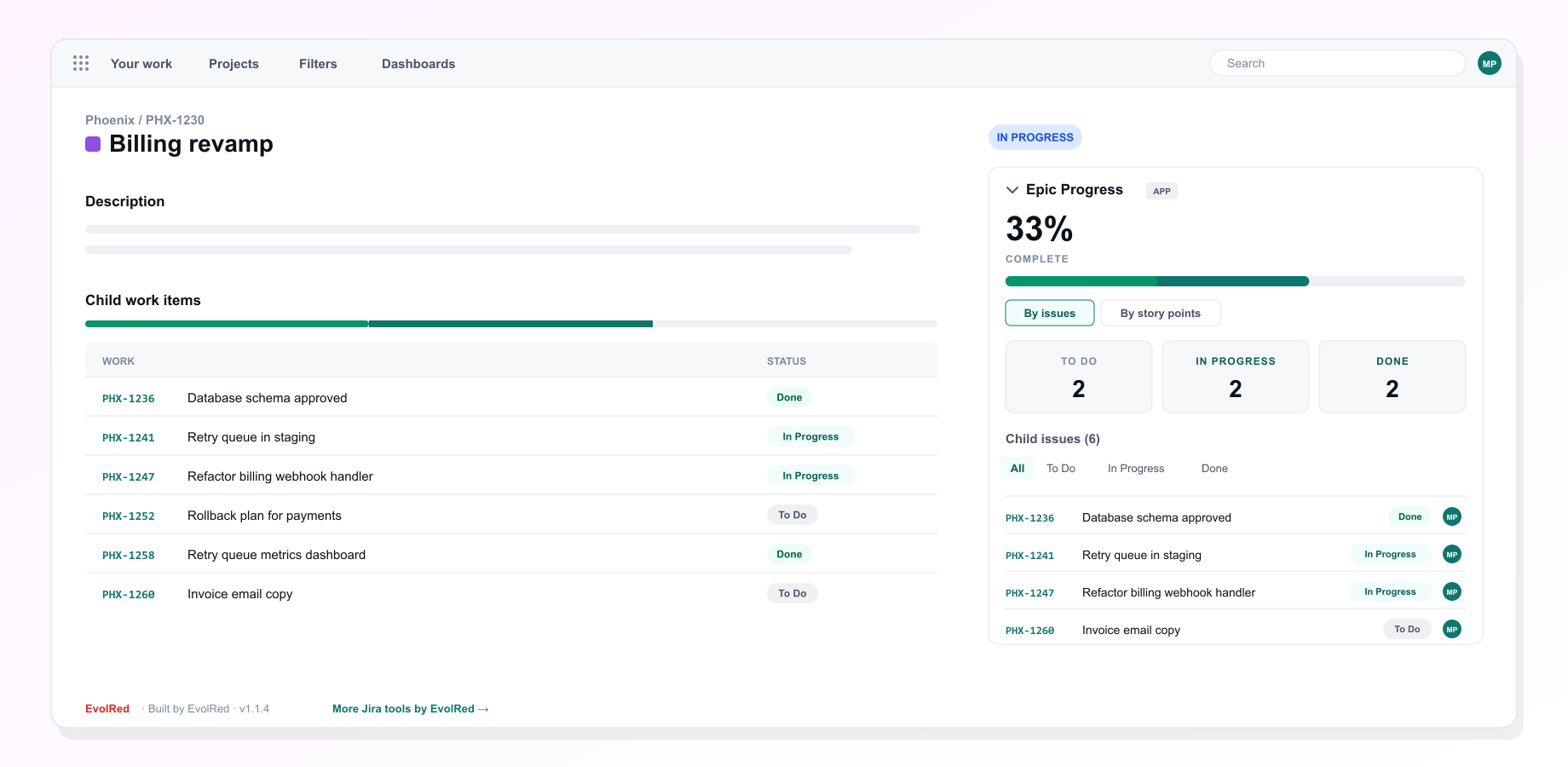 The child issues behind the numbers
Troubleshooting
The section does not appear. It only shows on epics. If your epic type is renamed or translated, it still counts as an epic.
Story points show as zero. The child issues have no estimate yet. Switch back to By issues, or add estimates.
Uninstalling
Remove the app from Settings, Apps, Manage apps. The app stores nothing, so there is nothing else to clean up.
Still stuck?
Tell us what you tried and what you saw. We reply within one business day.