
Bulk Field Editor for Jira
Update dozens of issues at once without the Jira tax
Get it on the MarketplaceVersion 2.1.11·Updated Nov 22, 2026
Overview
What it does
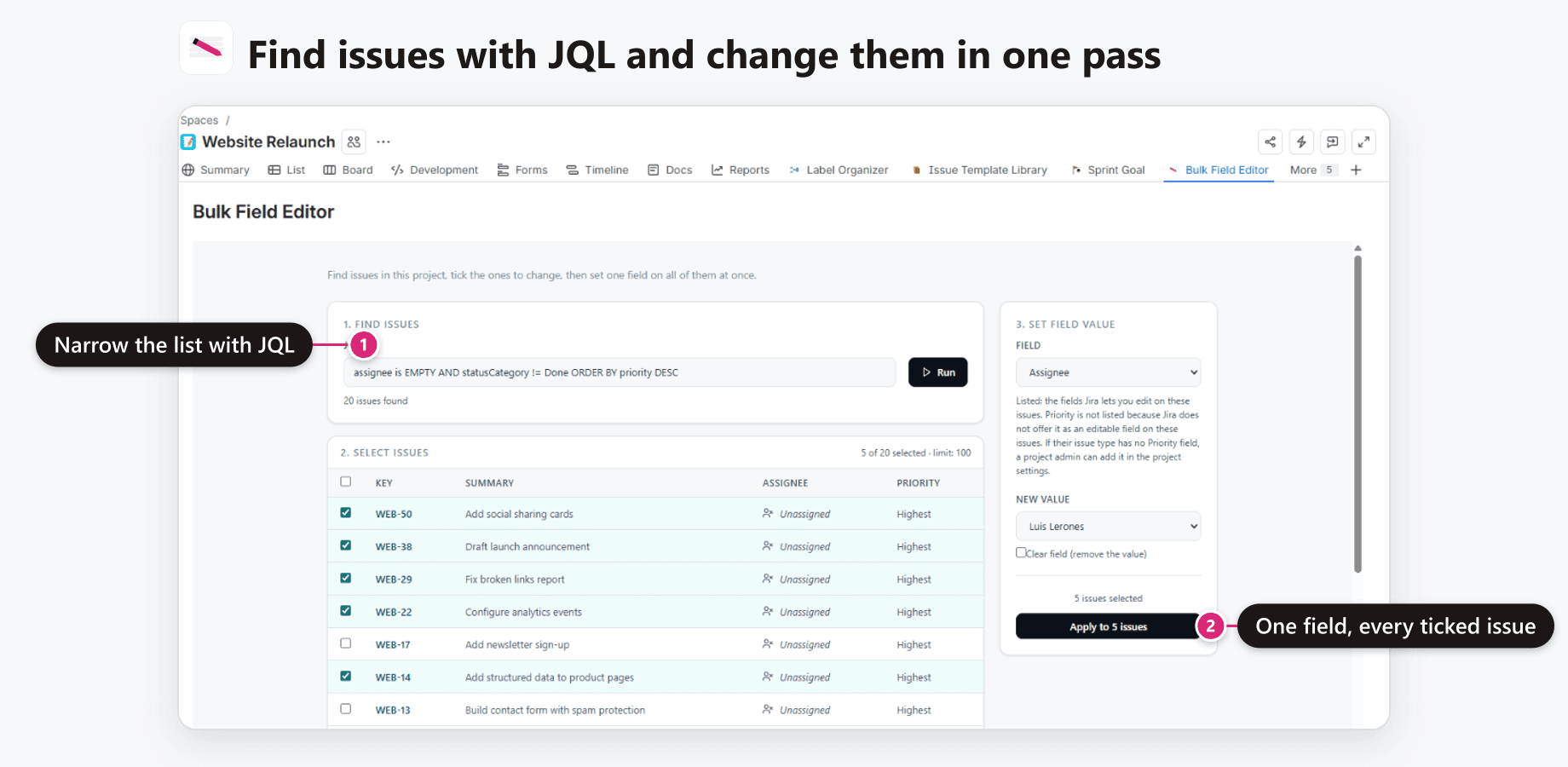
Native Jira bulk editing is clunky and hard to find. Bulk Field Editor gives project admins a simpler flow: run a JQL query, review the matching issues in a table, pick a field, set the new value and apply it to all of them in one pass. A confirmation step shows exactly what will change before anything is written, and every operation saves the previous values first, so one click undoes the whole change. Edits run with your own Jira permissions, so the app can only change what you could change yourself. It works on any editable field, including custom fields and Sprint, on up to 100 issues at a time. It is a paid app with a free trial on the Atlassian Marketplace.
Inside the app
- Run a JQL query and review the matching issues before you change anything
- Change one field on every matching issue in a single pass
- Confirmation step that shows what will change and on how many issues
- One-click undo that restores the previous values
- Per-issue results, so a few failures never stop the whole run
- Any editable field, including custom fields and Sprint, on up to 100 issues per run. Paid app with a free trial
In action
See it on screen
Get started
Up and running in a few minutes
Step 1
Install and start the trial
Select Try it free on the Atlassian Marketplace listing, pick your Jira site and start the free trial.
Step 2
Open Bulk Field Editor
In your project, open the Bulk Field Editor tab. You need the project administrator permission.
Step 3
Find the issues with JQL
Run a JQL query and check the matching issues before you change anything.
Step 4
Change, confirm, undo
Pick a field and a value, review the confirmation, apply. One click undoes the whole run.
Why this app
Why teams pick Bulk Field Editor
- Undo the whole change in one clickEvery issue goes back to its previous value.
- See the change before it is writtenA confirmation shows the new value and how many issues it touches.
- A few failures never stop the runYou get a result per issue, and the rest go through.
- Any editable fieldIncluding custom fields and Sprint, on up to 100 issues at a time.
Like Bulk Field Editor for Jira, but need it to fit your company?
We can build a private version just for you, changed to match how your teams work and installed only on your Atlassian site.
Ask about a custom build- Your fields, workflows and rules
- Your wording, defaults and reports
- A private build, only on your site
- Supported by the people who built the app
Updates
What's new
- v2.1.11Latest
The intro line at the top of the page now uses the same heading style as our other apps.
- v2.1.10
The button next to the filter fields now lines up with them: same height, bottom edges aligned, and it wraps neatly on narrow screens.
- v2.1.9
You can now set Priority: pick one of your project's priorities and the app checks, issue by issue, that you may set it. Undo restores the old priority. The page opens with the project's open issues already listed, and issue keys open the issue in a new tab. Results show new values straight away after Apply and Undo, and the confirmation shows progress. The Sprint field no longer goes missing after a failed lookup, choosing Unassigned as the new assignee no longer fails, and "No issues found" no longer flashes while you type.
Show all 9 updates
- v2.1.4
Project admins can open the editor again and the page is properly styled. Large edits no longer time out and undo is safer. The results table shows summaries, assignees and priorities again. Now a paid app with a free trial on the Atlassian Marketplace.
- v1.3.3
Paying customers no longer see suggestions for other EvolRed apps. On the free plan there is just one line in the footer.
- v1.3.0
The paid plan can now bulk-edit any editable field, system or custom (text, number, date, select, user, versions, components and Sprint), with a preview step and undo. The free plan keeps Assignee, Priority, Labels and Fix Version.
- v1.2.1
Paid licences now unlock the paid plan, and plan limits are enforced on the server. Sprint bulk edits now move issues through Jira Software's sprint API, so they work on every site. Undo now also clears fields that were empty before the edit.
- v1.1.1
Bulk editor now uses Jira's current search API, restoring reliable issue lookup for projects of any size.
- v1.0.0
Initial release with two-panel JQL editor, field picker, bulk update with rate limiting, 30-second undo window, admin verification, and freemium licence gating
Need a custom plugin for your team?
We build private Atlassian plugins tailored to your workflows.